
简介
最近在调研在线调试相关产品,目前有以下设想:
- 在 FaaS Worker 项目中集成 Chrome DevTools
- 在本地开发前端模块的过程中,真机调试集成 Chrome DevTools
调研
Cloudflare Workers 内的 Chrome DevTools
-
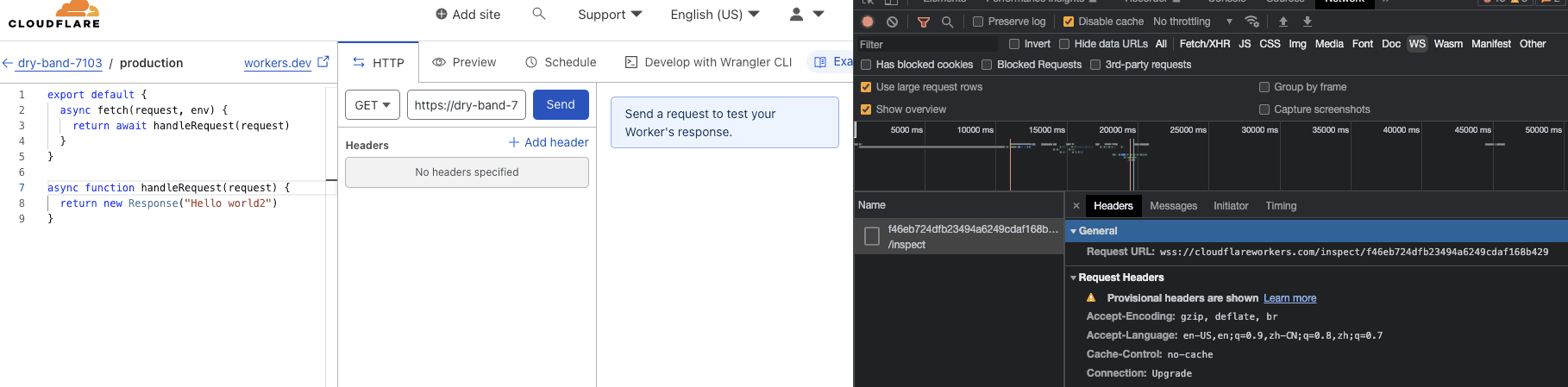
在进入编辑页的时候,会 inspect websocket 连接远程的调试服务
-
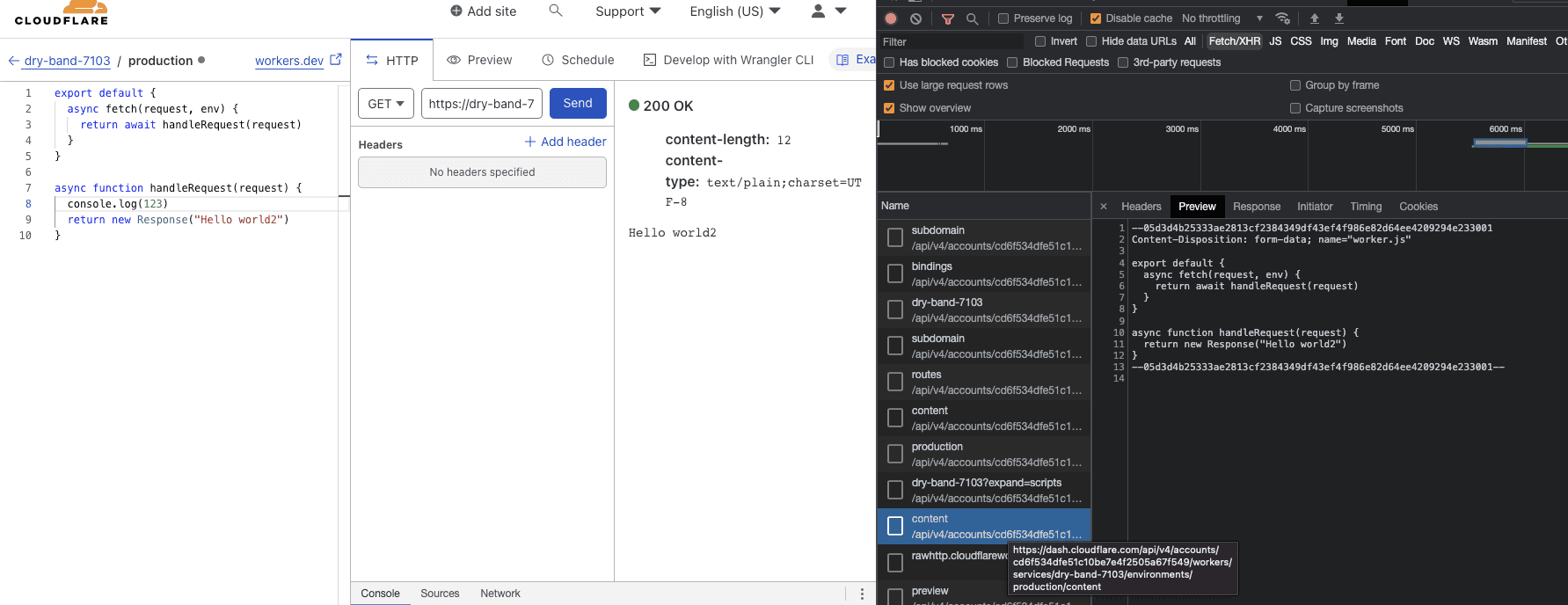
编辑后点击 send,会保存当前代码到远程
-
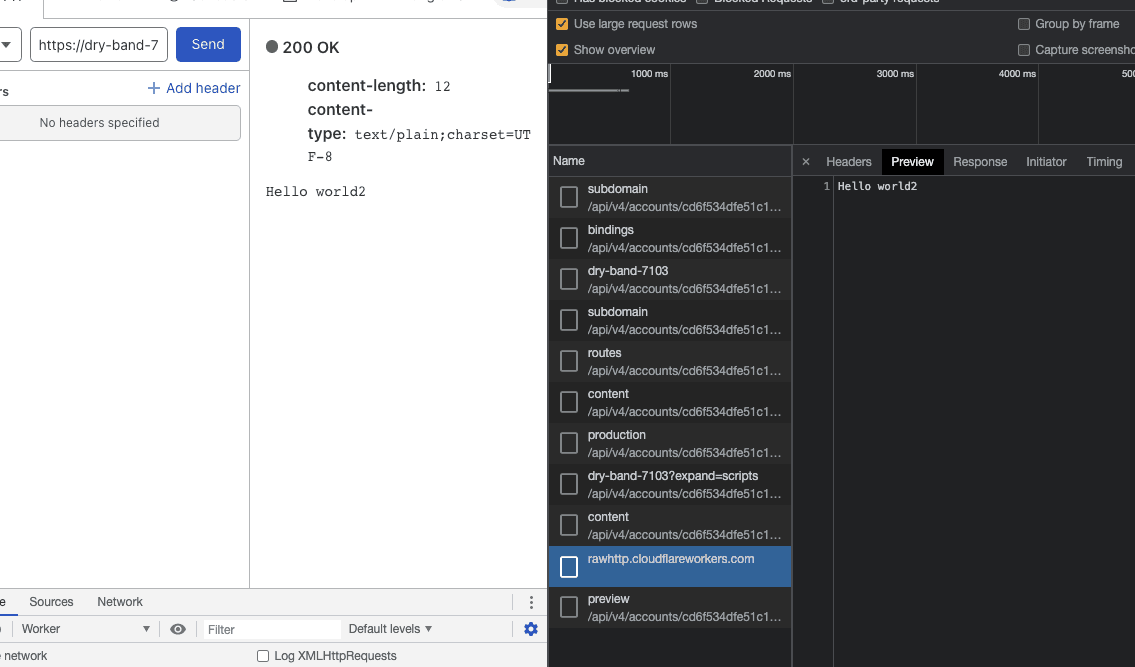
后请求接口获取返回结果
-
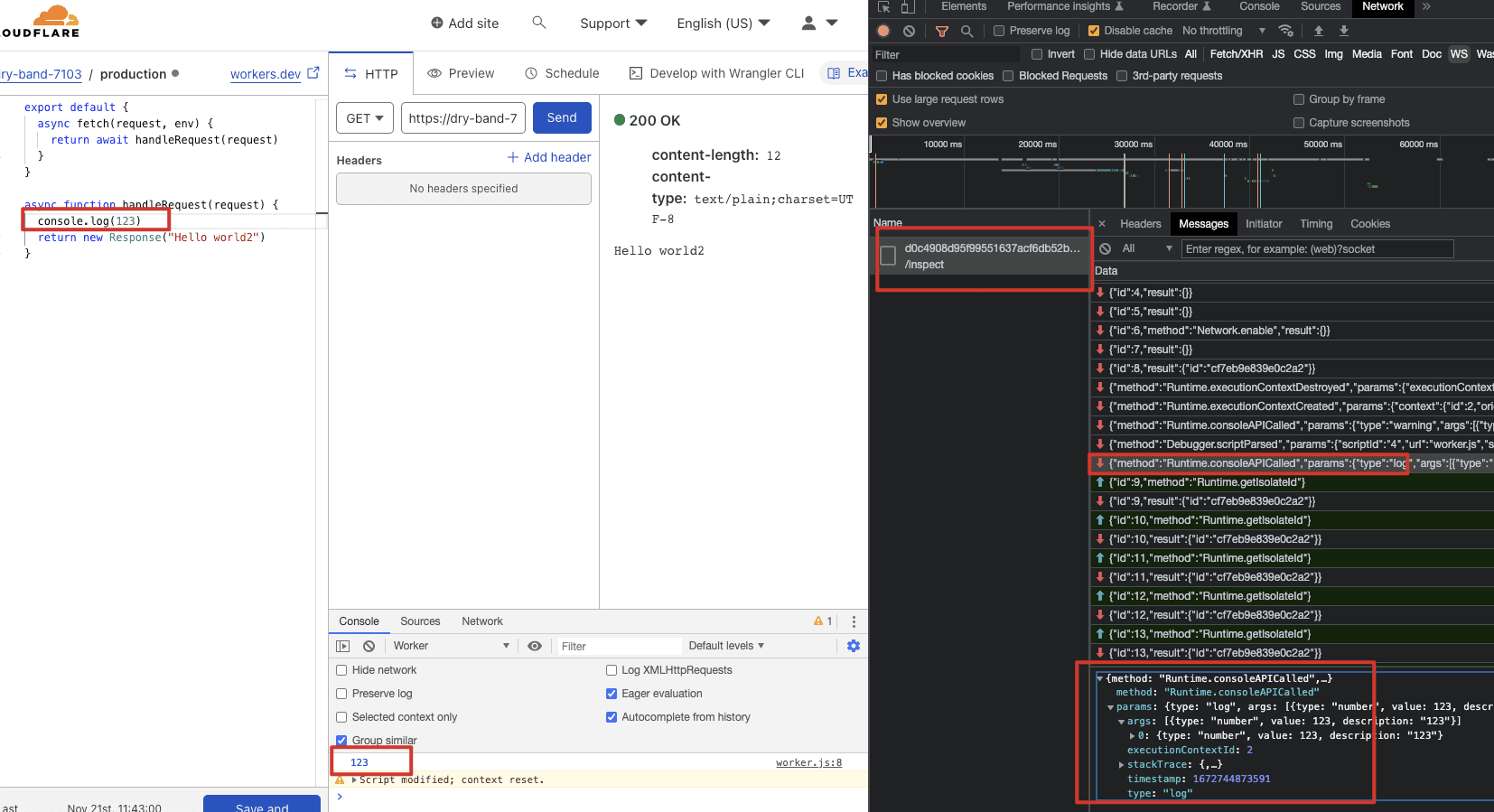
与此同时,远程调试服务会通过 websocket 发送 CDP 消息,在控制台打日志
Electron 内使用 Chrome DevTools
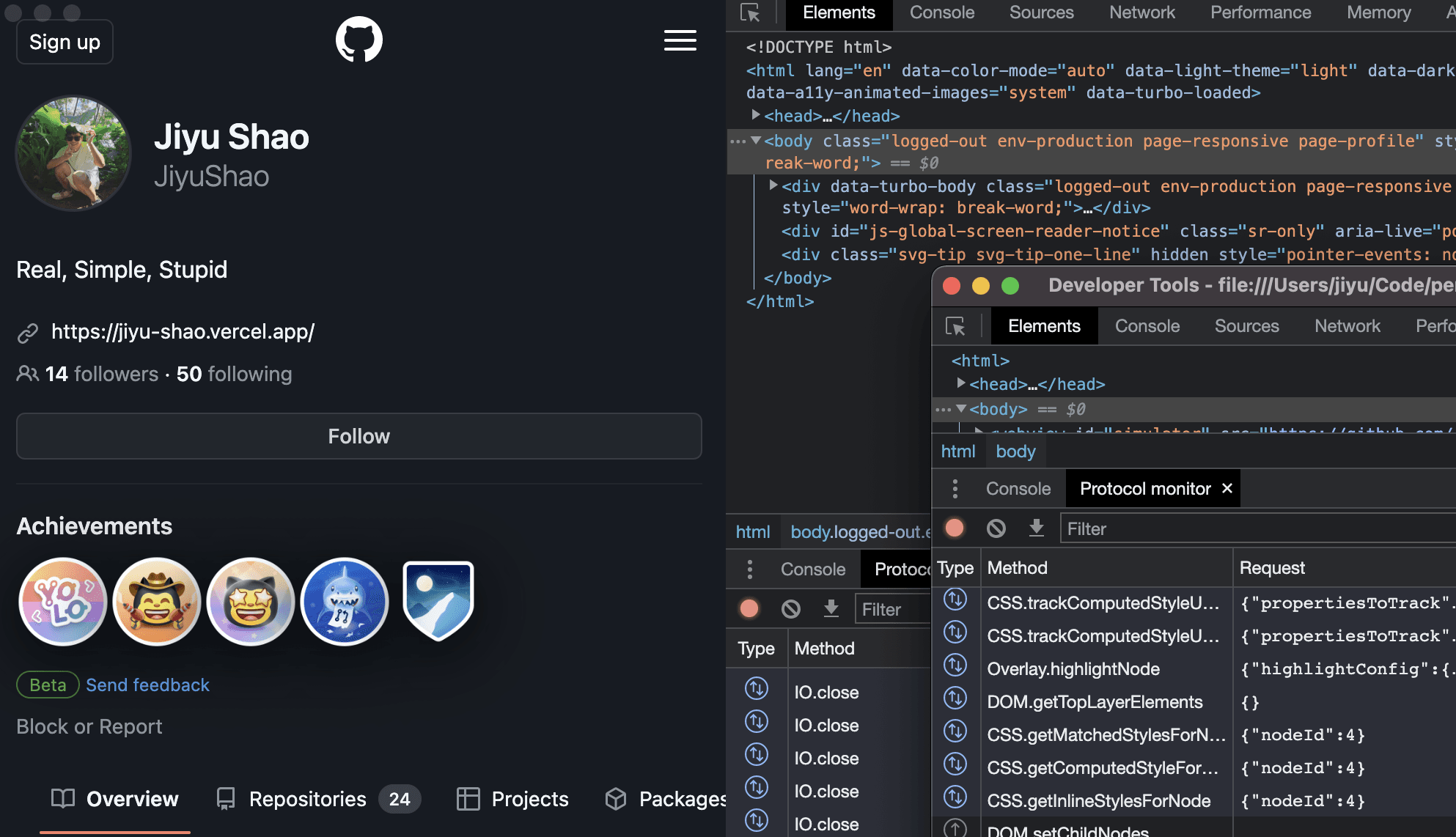
-
src/index.js
JavaScriptconst path = require("path"); const { app, ipcMain, webContents, BrowserWindow, BrowserView, } = require("electron"); const createWindow = () => { // Simulator Window const simulatorWindow = new BrowserWindow({ useContentSize: false, titleBarStyle: "hidden", webPreferences: { preload: path.join(__dirname, "preload.js"), webSecurity: false, webviewTag: true, }, }); simulatorWindow.maximize(); simulatorWindow.loadFile(path.join(__dirname, "index.html")); simulatorWindow.openDevTools({ mode: "detach" }); // Devtools View const devtoolsView = new BrowserView(); simulatorWindow.setBrowserView(devtoolsView); devtoolsView.setBounds({ x: 500, y: 0, width: simulatorWindow.getBounds().width - 500, height: simulatorWindow.getBounds().height, }); devtoolsView.setAutoResize({ width: true, height: true }); ipcMain.on("open-devtools", (_event, simulatorContentsId) => { const simulator = webContents.fromId(simulatorContentsId); simulator.setDevToolsWebContents(devtoolsView.webContents); simulator.debugger.attach(); simulator.openDevTools(); }); }; app.whenReady().then(() => { createWindow(); app.on("activate", () => { if (BrowserWindow.getAllWindows().length === 0) { createWindow(); } }); }); app.on("window-all-closed", () => { if (process.platform !== "darwin") { app.quit(); } }); -
src/preload.js
JavaScriptconst { contextBridge, ipcRenderer } = require("electron"); contextBridge.exposeInMainWorld("electronAPI", { ipcRenderer: { send: (...args) => ipcRenderer.send(...args), }, }); -
src/index.html
HTML<html> <head> <style type="text/css"> * { margin: 0; } \#simulator { height: 100%; width: 500px; } </style> </head> <body> <webview id="simulator" src="https://github.com/JiyuShao"></webview> <script> const { ipcRenderer } = electronAPI; const emittedOnce = (element, eventName) => new Promise((resolve) => { element.addEventListener(eventName, (event) => resolve(event), { once: true, }); }); const simulatorView = document.getElementById("simulator"); const simulatorReady = emittedOnce(simulatorView, "dom-ready"); simulatorReady.then(() => { const simulatorId = simulatorView.getWebContentsId(); ipcRenderer.send("open-devtools", simulatorId); }); </script> </body> </html>
chii 内的 Chrome DevTools
定制 Chrome 开发者工具
安装开发工具
官方推荐工作流见 Chrome DevTools workflow,工具安装参照 GET DEPOT TOOLS
Bash
# 下载源码
git clone https://chromium.googlesource.com/chromium/tools/depot_tools.git

# 将其添加到本机环境变量中
export PATH=$PATH:/path/to/depot_tools

# 对于旧版本的 devtools-frontend,需要使用 depot_tools 的低版本,否则会报错:
# depot_tools/ninja.py: Could not find Ninja in the third_party of the current project, nor in your PATH.
cd depot_tools
git reset --hard 138bff28

# 关闭 depot_tools 的自动更新
export DEPOT_TOOLS_UPDATE=0
Discussion
留言与讨论
想法、补充和不同意见都欢迎。